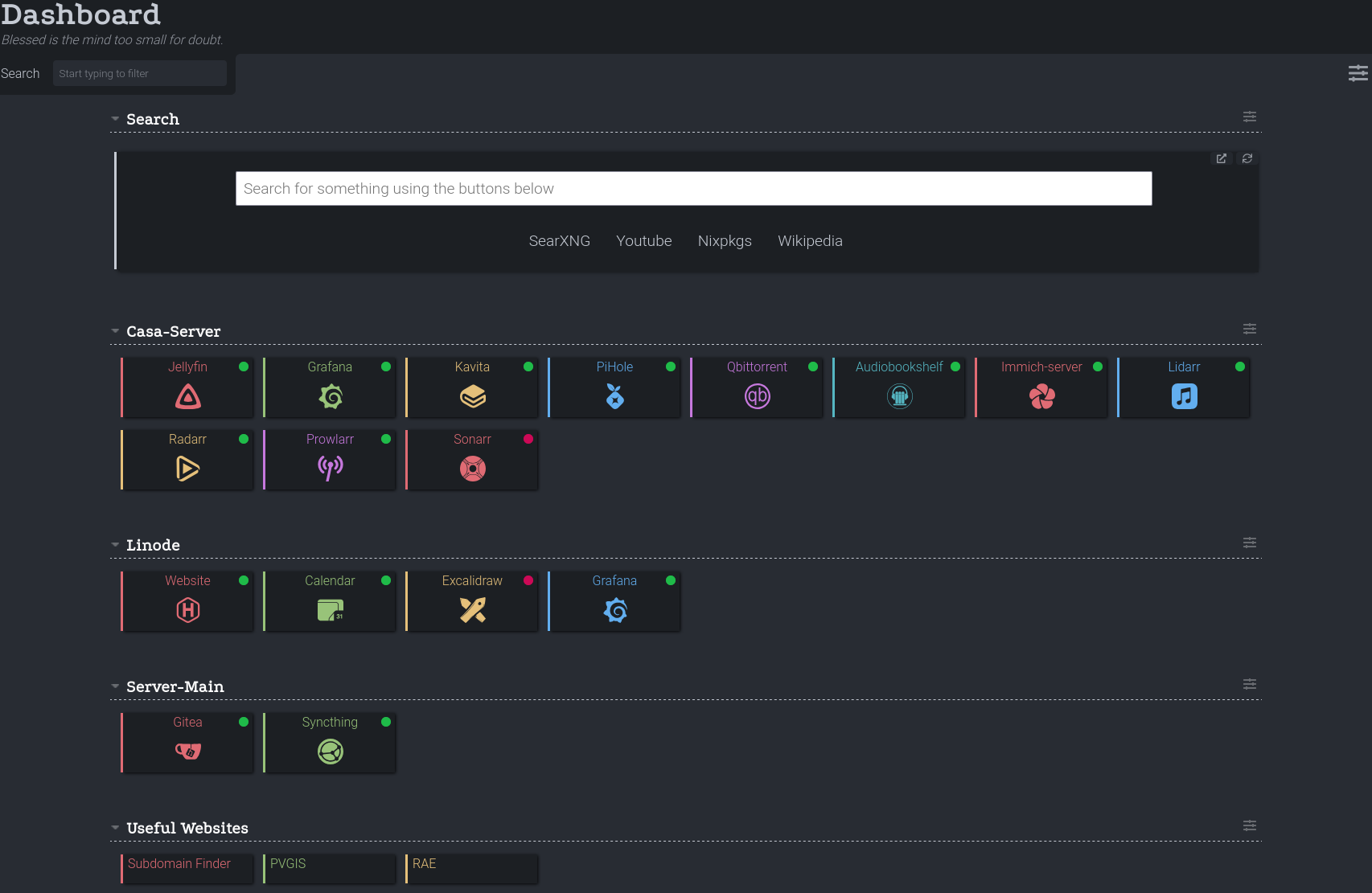
Custom Dashboard Using Dashy
I currently run many applications in my homelab. These applications are spread across different devices, and each one is exposed on a different port or URL.
Once I visit an application in the browser, I usually save it as a bookmark and access it that way. However, this approach has the following drawbacks:
- Portability: If I change machines or browsers, I would “lose” the links to my services and would have to configure them again.
- Usability: You have to rely on memory to access an application, either by knowing the service’s IP and port or by remembering the application’s name. This is a problem for me because I currently have several
grafanainstances and never know which server I’m accessing until I’m already inside the instance. - Search engines: When searching, for example, for a package in nixpkgs, I have to first access the website and then search for the program I need, requiring a mental effort both to remember the page and to find the package.
One solution to these problems is to run a dashboard instance that provides fast, portable, and more visual access to my services. In this case, I decided to use Dashy.
Solution
In my case, I decided to install Dashy directly in my computer’s NixOS configuration. The reader might wonder whether it would be better to install it on one of my servers, and that’s true—but that would mean that, to access the dashboard, I would need an internet connection and, more importantly, that the server running the Dashy instance has not gone down.
At the time of writing this article, I am migrating all my servers to NixOS, so in the future one of my servers will also run its own Dashy instance. This will allow devices that cannot run Dashy—mainly my phone—or non-personal devices, such as my work computer, to access my dashboard.
In any case, the Dashy configuration shown here is fully transferable to any UNIX system on which you want to run a Dashy instance, as long as it is capable of using Docker.
Installation
To perform the installation recommended via Docker, the Docker Compose configuration shown at the following link is used. In my case, it is adapted to run within NixOS, resulting in:
 1{
 2  virtualisation.docker.enable = true;
 3  virtualisation.oci-containers = {
 4    backend = "docker";
 5    containers.dashy = {
 6      image = "lissy93/dashy";
 7      environment = {
 8        NODE_ENV = "production";
 9        UID = "1000";
10        GID = "1000";
11      };
12      volumes = [
13        "${dashyConfig}:/app/user-data/conf.yml"
14      ];
15      ports = [
16        "127.0.0.1:9000:8080"
17      ];
18      autoStart = true;
19    };
20  };
21}
Configuration
To customize the instance, the conf.yml file must be configured. In my case, I pass the contents of this file as a variable in my NixOS configuration file. Below is a small excerpt of this configuration (the full version is available in my repository):
 1  dashyConfig = pkgs.writeText "dashy-config.yml" ''
 2appConfig:
 3  theme: one-dark
 4  layout: horizontal
 5  iconSize: medium
 6  language: en
 7
 8  hideHeading: true
 9  hideNav: true
10  hideSearch: true
11  hideSettings: true
12  hideFooter: true
13  disableConfiguration: true
14
15pageInfo:
16  title: Dashboard
17  description: Blessed is the mind too small for doubt.
18
19sections:
20  - name: Search
21    widgets:
22      - type: custom-search
23        options:
24          placeholder: Search for something using the buttons below
25          openingMethod: newtab
26          engines:
27            - title: SearXNG
28              url: https://searxng.gabrielcachadina.com/search?q=
29            - title: Youtube
30              url: https://www.youtube.com/results?search_query=
31
32  - name: Linode
33    items:
34      - title: Website
35        icon: si-hugo
36        url: https://gabrielcachadina.com
37        statusCheck: true
38      - title: Calendar
39        icon: si-protoncalendar
40        url: https://calendario.gabrielcachadina.com
41        statusCheck: true
42  - name: Server-Main
43    items:
44      - title: Gitea
45        icon: si-gitea
46        url: https://gitea.gabrielcachadina.com
47  - name: Useful Websites
48    items:
49      - title: Subdomain Finder
50        url: https://subdomainfinder.c99.nl/
51
52  '';
53in
Conclusion
Since using Dashy as the entry point to my services, access to my homelab has become much faster and more predictable. I no longer depend on remembering IPs, ports, or specific URLs, nor on having bookmarks synchronized across browsers or devices. Everything is centralized in a single place, versioned and reproducible thanks to NixOS.
This type of tool does not eliminate the complexity of a homelab, but it does reduce the daily friction of interacting with it. In an environment with multiple services and instances, having a simple, declarative, and self-hosted dashboard ends up being more of a necessity than an extra.